UX research
Secondary research, competitive analysis, user personas
Case study summary
5 Day UX Challenge
A condensed design sprint tackling the eBay Seller Portal scenario: research, user flows, wireframes, prototyping, and usability evaluation — all within 5 intensive days.
Design sprint B2B eBay scenario
My responsibilities
Information architecture
User flows, scenarios, and sitemap structure
Wireframing & prototyping
Low-fi wireframes and interactive Figma prototype
Usability evaluation
Heuristic evaluation and scenario prioritization
Project snapshot
RoleUX Research & Design
Timeline5 days · intensive sprint
PlatformeBay Seller Portal (web)
DeliverablesResearch deck · Flows · Prototype · Evaluation report
Problem & context
eBay Seller Portal
Contact Data Quality
B2B SaaS
Scenario: As a UX/UI designer at eBay, I was tasked with solving a critical business problem in the Seller Portal — the central hub where business sellers access promotions and key performance information.
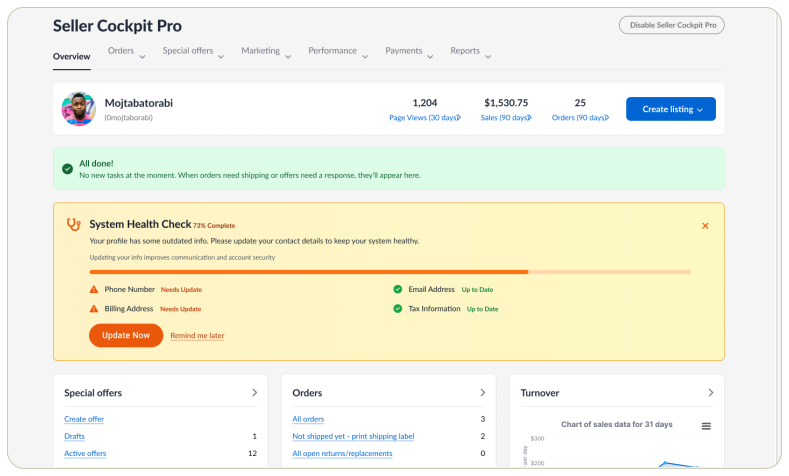
The Issue: Contact data from sellers (phone numbers, email addresses, CRM roles) is frequently outdated because sellers forget to update their information. This creates significant problems for Account Managers trying to reach sellers and maintain accurate customer relationship data.
Business Objective: Increase the number of sellers who actively update and confirm their contact information, improving data quality and enabling better seller support.
Design process
Research & Discovery
User Surveys
Competitive Analysis
6 Prototype Scenarios
Usability Testing
Research Phase: Conducted user surveys with 48 participants and seller interviews to understand pain points. Discovered that sellers face over-aggressive reminders, technical glitches during updates, poor navigation to contact settings, and vague error messages.
Key Findings: The top 3 triggers for updating contact info are: (1) clear incentives/rewards like coupons or badges, (2) urgency or consequences like account restrictions, and (3) purposeful communication with simple update flows. 70% of sellers connect updated contact info with trust and credibility.
Competitive Benchmarking: Analyzed Amazon Seller Central, Etsy, Shopify, and Walmart to understand industry best practices for seller data verification and update workflows.
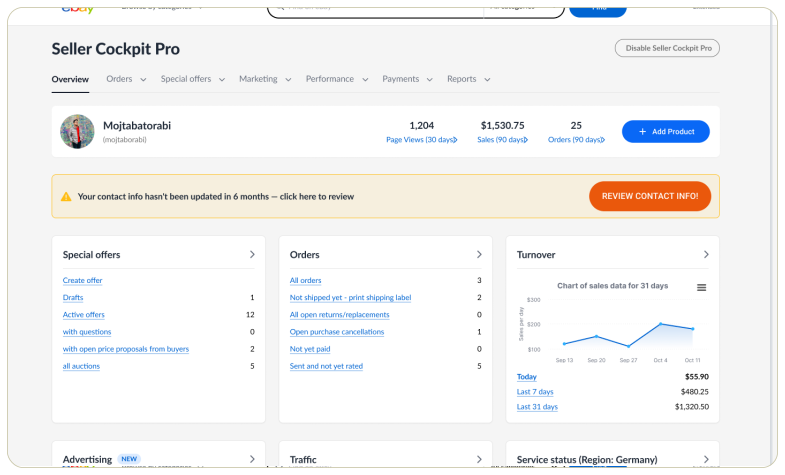
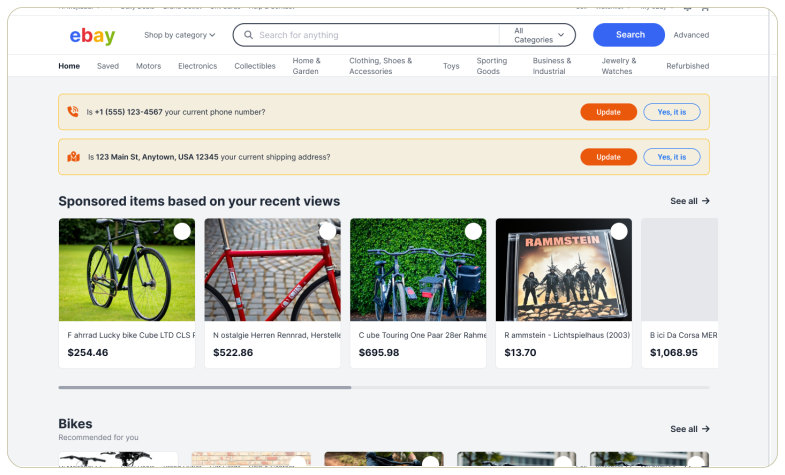
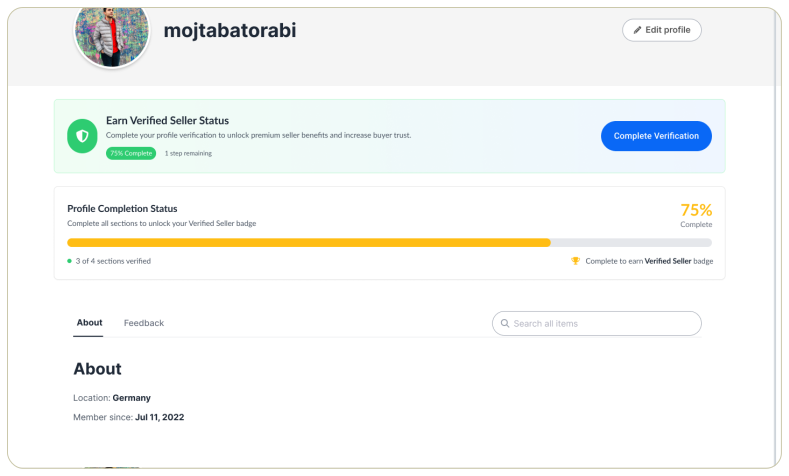
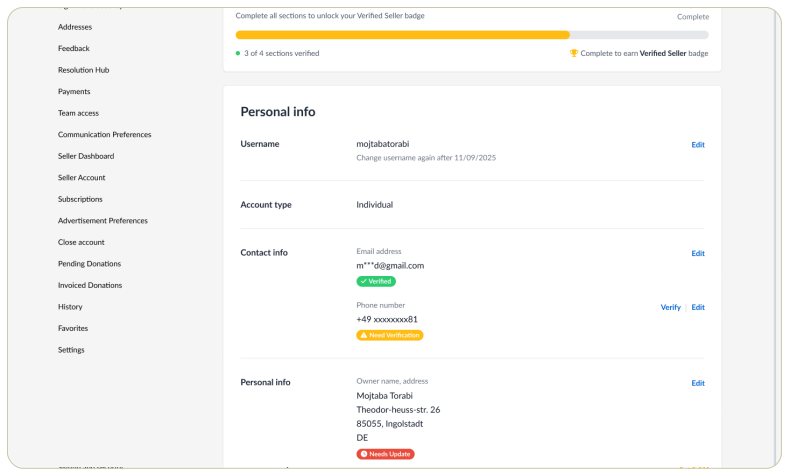
Design Solutions: Created 6 different prototype scenarios exploring: one-stop update hubs, rewards & badges, visible alerts & progress indicators, guided update flows, smart reminders, and listing-integrated update prompts.
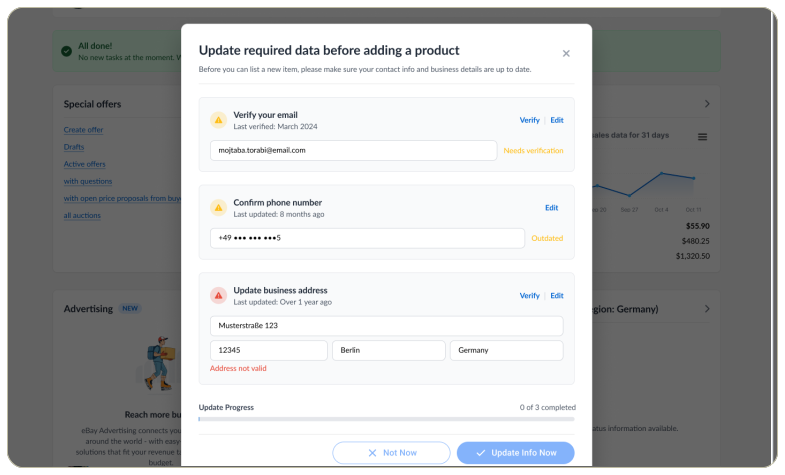
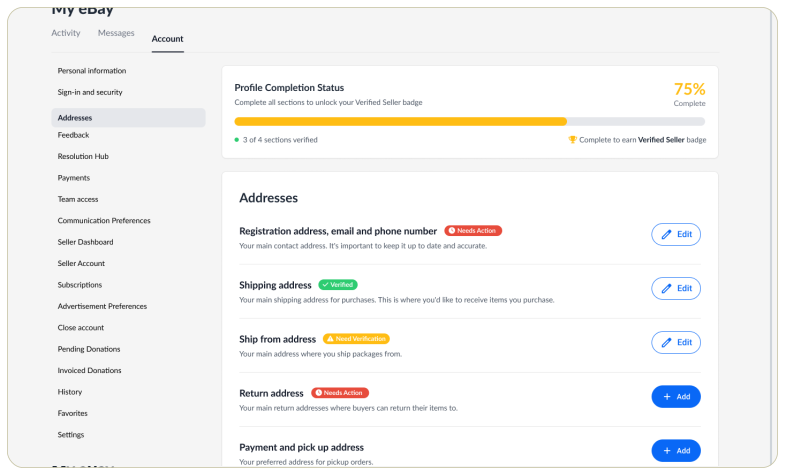
Usability Testing: Tested with 6 participants, revealing critical insights: users prefer updating contact info WHILE adding products (not separately), progress indicators (like "75% complete") are highly motivating, and visual alerts need to be more distinct to stand out in the interface.
Critical Design Shift: Initial approach used a blocking modal that prevented product listing. Refined approach allows users to add products freely, with contact verification required before publishing — reducing friction while maintaining compliance.
Interactive prototype
Explore all scenarios in the interactive Figma prototype built during the sprint. Click through to experience the seller portal flows firsthand.
Evaluation & scenario priority
Heuristic evaluation
Scenario prioritization
Impact matrix
After building the prototype, a heuristic evaluation was conducted to identify usability issues across Nielsen's 10 heuristics. Key findings were documented and scored by severity.
Scenarios were then prioritized based on user impact and business value:
Dashboard overview
High-priority: Quick access to key metrics, alerts, and pending actions for sellers.
Listing management
High-priority: Streamlined flow for creating, editing, and bulk-managing product listings.
Order tracking
Medium-priority: Clear visibility into order status, shipping, and customer communications.
Performance analytics
Medium-priority: Actionable insights on sales trends, conversion rates, and growth opportunities.
Final screens
Key UI screens from the sprint prototype, showing the refined seller portal experience after evaluation feedback.
Learnings
Motivation over single incentives
Integration over disruption
Progress visibility
Context-relevant timing
Multiple factors drive action: No single incentive works in isolation. Effective solutions combine rewards, progress indicators, clear communication, and convenience to motivate seller behavior.
Embed in natural workflows: The most successful approach integrated contact updates into the product listing flow rather than treating it as a separate task. This reduced friction while maintaining compliance requirements.
Clarity builds trust: Users respond better to education about "why" updates matter (trust, compliance, better support) than to threats or alarmist warnings.
Progress is motivating: Visual progress indicators (like "75% complete" cards) were more motivating than coupons alone. Showing sellers how close they are to completion drives action.
Community value for cross-border sellers: International sellers particularly value knowledge-sharing communities, webinars, and peer networks over discounts alone.
Prioritization through testing: Ranking the 6 prototype scenarios by task completion rates, motivation levels, time to completion, and user satisfaction helped identify Scenario 2 as the highest-priority recommendation.